 ASTRO RACE IO
Multiplayer Games
ASTRO RACE IO ASTRODUD
 Bandit-rip
 BASKET-BROS
 BATTLEDUDES.IO
 BETRAYAL
 Bist .io
 BitPlanets
 BOPZ .IO
 BRUTAL.IO
 BUILD-ROYALE
 BUMPY BALL IO
 Captain Forever .io
 CLANKER.IO
 COMBINES IO
 Craftnite
 CREATUR
 Cubeshot .io
 DASHCRAFT IO
 DEEEEP
 DEFLY .IO
 Diep .io
 Doodlr .io
 DOOMED.IO
 DOUBLE DODGERS
 DRIFT.IO
 DYNAST
 HOME
 FERALS.IO
 FOOTIX.IO
 GATS .IO
 GIGGA
 Golf Royale io
 GOOBER SHOT
 Hury .io
 JAMIR.IO
 JIGSAW PUZZLES IO
 JUNON.IO
 Kiomet
 KIRKA .IO
 KUGELN IO
 LIMAX IO
 Little Big Snake
 LITTLE WAR GAME
 LOLBEANS IO
 MASKED FORCES
 MOPE
 Mudfield io
 NIGHTPOINT .IO
 NitroClash .io
 OCEANAR .IO
 Okey Game
 PAPER ANIMALS IO
 POWERLINE
 PUCKS.IO
 Pung io
 REALMZ IO
 ReDead .io
 RICHUP
 SandStrike .io
 SHELL SHOCKERS IO
 SHOOTEM
 ShootUp
 SKETCHFUL.IO
 SKILLFITE
 Skribble .io
 SLITHERCRAFT
 SlowRoads.io
 Splix .io
 STABFISH IO
 STARVE
 STUG .IO
 SUGAR SHOCK
 SuperTanks .io
 SWORD BATTLE IO
 TACTICS CORE IO
 TAMING
 TANK ROYALE
 TERRITORIAL.IO
 THE-LAST .IO
 TILE-MAN IO
 TYRAN
 TZARED
 WARBOT.IO
 WARCALL IO
 WINGS IO
 Wormate
 WORMS ZONE
 Xess io
 ZOMBS.IO
 CrazySteve.io





 Backgammon









 Head Ball 2













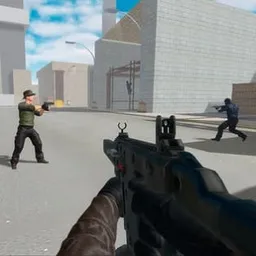

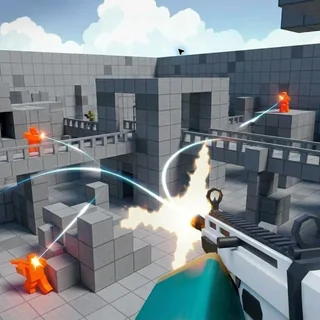
























Multiplayer Games
The tour in multiplayer games does not only shape your preferences. It also affects the experience that other players enter in which mode, where the encounter is few people and responds to the time of the connection. Decide yourself who you want from their special room options between individual score, team game or friends before using this page.
Read mode before entering the lobby
The tool mode wants players to follow a common goal. If in a single-stage mode, your own tour and score becomes decisive. If you have a mod option in a game, you can choose a simpler encounter that is described on the screen when playing for the first time. When you change mode within the same game, the winning condition and the length of the match may also vary.
Find the same room with a friend group
If the game offers a private room, check that everyone is in the same lobby. The game menu may show an invite code, server, or room name. Wait for the whole group before starting. Try a short match in Basket Bros or race together in DashCraft.io.
Separate delay from game rules
If you notice that the character does not always react in the same time, look at the connection indicator of the game. If the movement is only delayed intensity on the same screen, you can choose a different room or lighter game. If you want to make a two person instead of the crowd and a shorter start, look at the IO Games page for quick tour options. Related: Two-Player Games, .io Games.
Keep your goals short when you set up
Determine the common goal that appears on the screen instead of making long decision to what work will take in the first match. Everyone choose the shortest mode if he knows the game to the same extent. After a few rounds, it is easier to try longer and complex sessions when you see which movements should be done together.